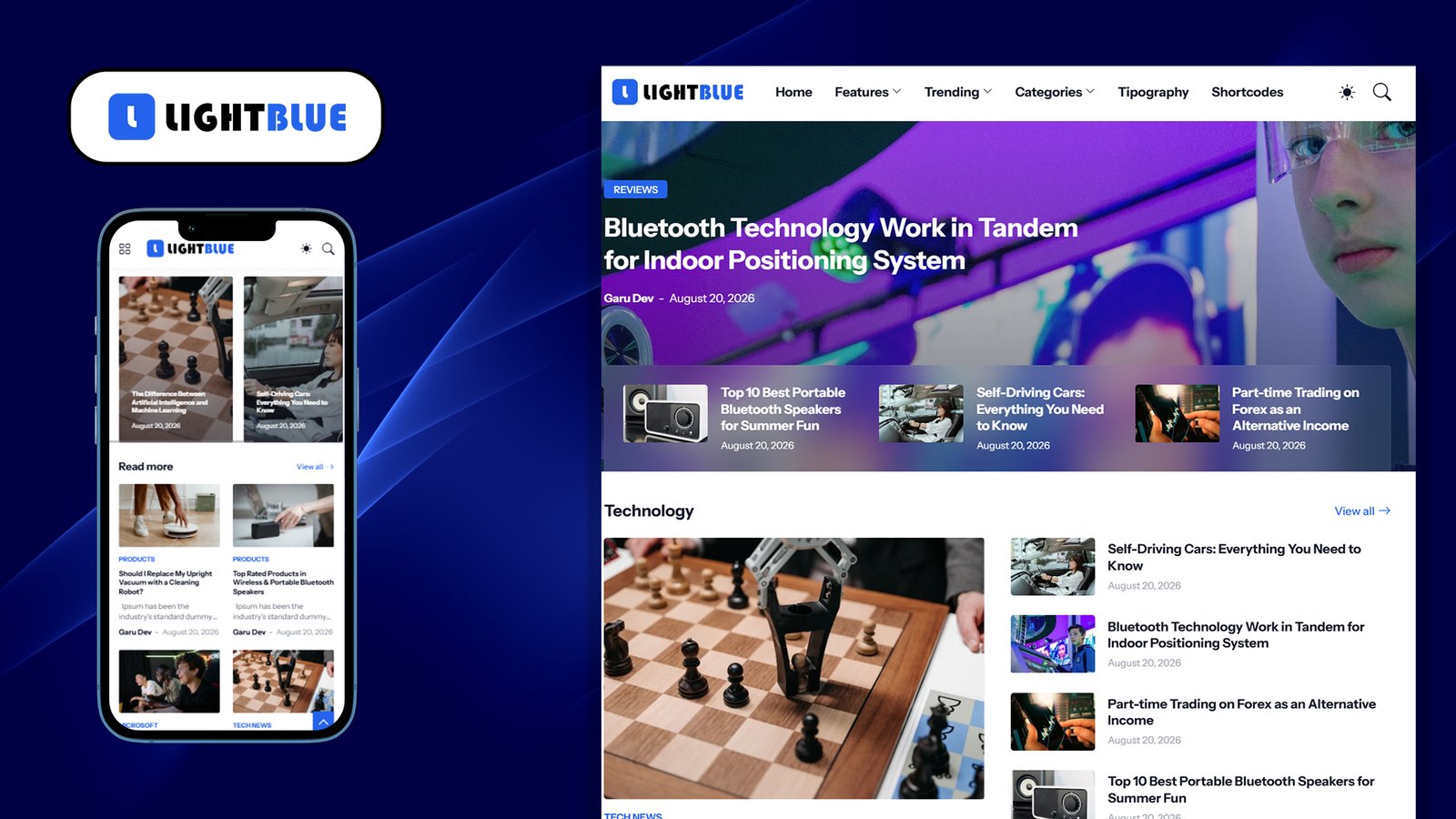
LIGHTBLUE PREMIUM — BLOGGER THEME DESCRIPTION
================================================
File: LightBlue_Premium-XML.xml
Version: 1.3.0 (Premium)
Author: Pro Blogger Templates
Author URL: https://themefree.net
File Type: Blogger (Blogspot) XML Theme — upload via Theme > Backup/Restore
OVERVIEW
———-
LightBlue Premium is a responsive, magazine/news-style Blogger theme built
on Blogger’s modern layout system (b:layoutsVersion 3, skin version 2.1.0).
All styling is controlled through Blogger’s built-in Theme Customizer —
no external CSS file is needed. It is designed for tech, gadget-review,
and general news/blog sites, with a clean card-based layout and full
monetization (ad slot) support.
DESIGN SYSTEM
—————-
– Primary/Accent Color: #2563eb (bright blue) — the theme’s namesake
– Base Font: Instrument Sans (separate controls for main, title, and
text fonts)
– Light Mode Palette: whites and light grays (#ffffff, #f3f4f6)
– Dark Mode Palette: layered dark grays/navy (#374151, #1f2937, #111827,
#030712) with the same accent blue carried through
– Includes a native dark mode plus an optional user-facing toggle switch
KEY FEATURES
————–
1. Fully Responsive — adapts to desktop, tablet, and mobile screens
2. Dark Mode — native theme-level dark mode + manual user toggle
3. Sticky Header & Sticky Sidebar — independently toggleable
4. Boxed or Full-Width Layout — switchable in Customizer
5. Grid-Style Post Listings — with toggles for showing/hiding summary
text and category labels
6. Breadcrumb Navigation — toggleable on post/page views
7. Post Navigation — previous/next post links, toggleable
8. Multiple Homepage “Content Block” Rows — customizable HTML sections
for featured categories (e.g. Technology, Reviews, Smartphones,
Gadgets in the demo content)
9. Popular Posts Widgets — used in both the “Featured” homepage section
and the sidebar
10. Extensive Ad Placement System — see below
11. Social “Follow Us” Link List — sidebar widget
12. Newsletter/”Stay Informed” Box — sidebar widget
13. Related Posts (“You might like”) — shown on single post pages
14. Footer Info Column + Secondary Footer Bar — separate background/
color controls for each
LAYOUT STRUCTURE (WIDGET SECTIONS)
————————————-
Header
– Header Ads bar (optional)
– Logo section
– Main navigation menu
Homepage
– Featured Posts section (Popular Posts widget)
– Featured Ads slot
– Content Blocks (Row 1) — HTML widgets, e.g. Technology / Tech
Storys / Ads
– Latest Posts (main blog feed)
– Content Blocks (Row 2) — HTML widgets, e.g. Reviews / Smartphones
/ Gadgets
Single Post Page
– Before Content ad slot
– After Content ad slot
– In-Article ad slot
– Related Posts (“You might like”)
– Post Footer ad slot
Sidebar
– Follow Us (social links)
– Popular Posts
– Stay Informed (newsletter box)
– Latest Posts
– Advertisement slot
Footer
– Footer Ads bar
– Footer Info column(s)
– Footer Bar (bottom strip, separate dark background by default)
Theme Options Panel (Blogger-only, hidden from visitors)
– Thumbnail image control
– Advanced link list
AD MONETIZATION SLOTS
————————
The theme ships with 8 dedicated {ads} HTML widget slots, most disabled
by default (visible=’false’) until you add ad code:
1. Header Ads
2. Featured Ads
3. Before Content (single post)
4. After Content (single post)
5. In-Article (single post)
6. Post Footer Ads (single post)
7. Sidebar Advertisement
8. Footer Ads
Any AdSense unit or custom ad script can be pasted directly into these
widgets.
CUSTOMIZABLE OPTIONS (VIA BLOGGER THEME CUSTOMIZER)
——————————————————-
Layout:
– Boxed Mode on/off
– Sticky Header on/off
– Sticky Sidebar on/off
Fonts:
– Main Font, Title Font, Text Font (each independently selectable)
Colors:
– Main/Accent Color
– Body background, outer background, modal background, borders
– Title, text, summary, and meta text colors
– Header background/text/hover colors
– Submenu (dropdown) background/text/hover colors
– Footer and Footer Bar background/text/hover colors
Post Display:
– Grid Style toggle
– Show/Hide Post Summary
– Show/Hide Post Category
Page Options:
– Breadcrumbs on/off
– Post Navigation on/off
– Post Sidebar on/off
– Static Page: Header Ads, Sidebar, Footer Ads toggles
Dark Mode:
– Enable Native Dark Mode
– Enable User Dark Mode Toggle
– 4-level dark background palette + dark accent/title/text/meta colors
BEST SUITED FOR
——————
Tech news blogs, gadget/product review sites, general news or magazine-
style blogs, and any Blogger site that wants a modern card/grid layout
with built-in dark mode and ad monetization slots already wired in.
TECHNICAL NOTES
——————
– Format: Blogger XML/XHTML with embedded b:section, b:widget, and
conditional (b:if / cond) logic — not a plain static HTML/CSS file.
– Skin styling is defined in a CDATA-wrapped CSS block using Blogger’s
variable system ($(variableName)), which is what powers the Customizer
controls listed above.
– Must be uploaded as .xml through Blogger’s Theme > Backup/Restore >
Upload. A .txt copy of the same content is for reading/editing only
and cannot be uploaded directly to Blogger.