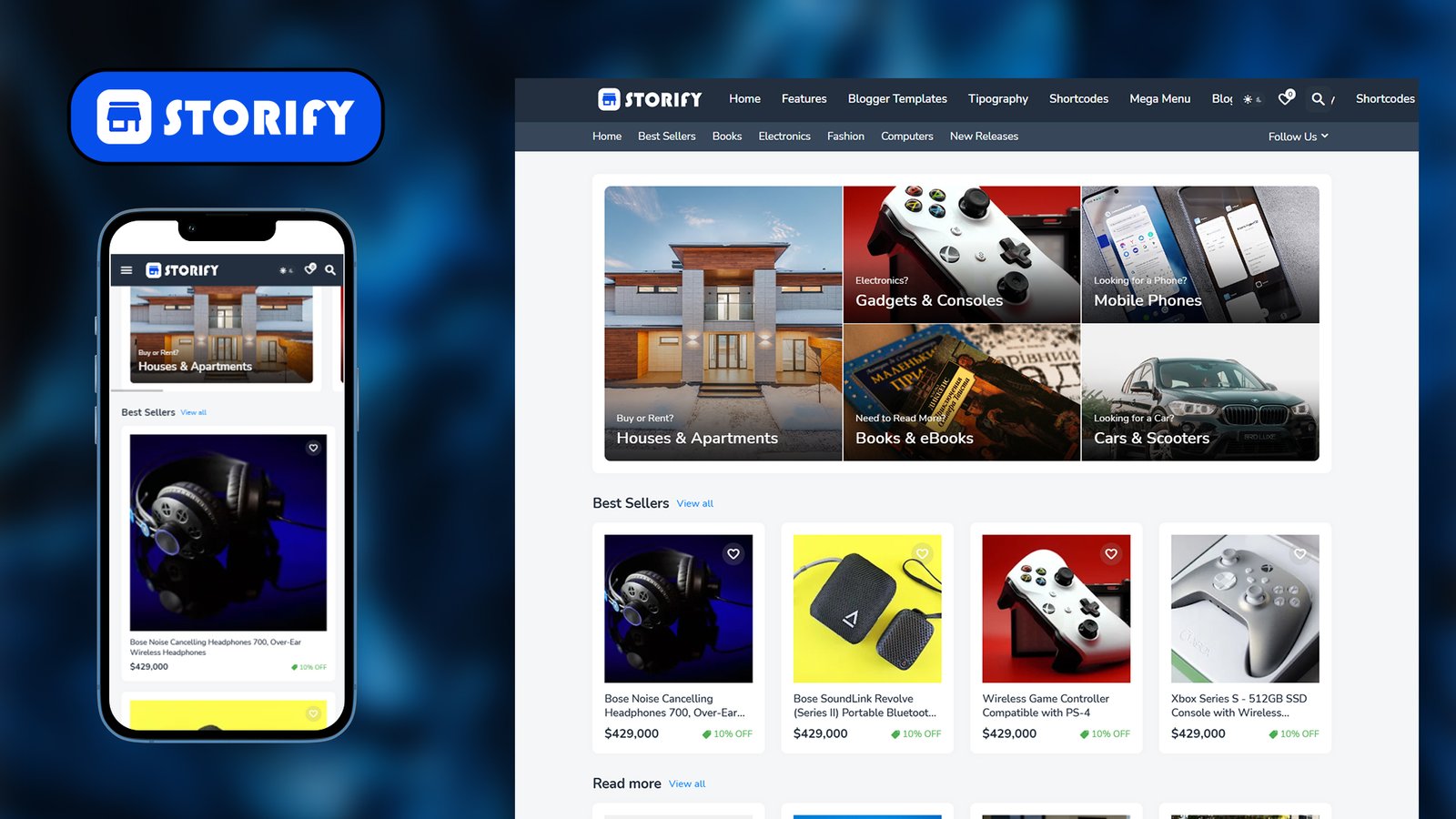
========================================
STORIFY – PREMIUM BLOGGER TEMPLATE
========================================
Theme Name: Storify
Version: 2.0.0 – Premium
Author: Pro Blogger Templates
Author URL: https://themefree.net/
File Type: Blogger / Blogspot XML Template
Layout Engine: Responsive (b:responsive=’true’), Layouts Version 3
—————————————-
OVERVIEW
—————————————-
Storify is a responsive, e-commerce/magazine-style Blogger theme built
around a customizable “Amazon-like” header/header-bar layout, product-card
post styling, and a full set of live Blogger Theme Designer options
(colors, fonts, widths, and toggles) that can be adjusted without editing
code.
—————————————-
KEY FEATURES
—————————————-
– Fully responsive layout (mobile, tablet, desktop)
– Native Dark Mode + User-toggleable Dark Mode switch
– Boxed Mode layout option
– Left Sidebar layout option
– Fixed (sticky) top menu
– Fixed (sticky) sidebar
– Adjustable container width and sidebar width
– Customizable fonts for Main, Menu, Title, and Text (Nunito by default)
– Full color customization (background, header, header bar, sub-menu,
mobile menu, widgets, titles, links, hover states, etc.)
– Header Bar with configurable background/text/hover colors and
optional border
– Dropdown Sub Menu styling controls
– Mobile Menu styling controls
– Sidebar Widgets styling
– Product/Post grid options:
• 3-Column product/post layout toggle
• “Love” (like/favorite) icon with adjustable color
• Adjustable post title font size
• Full-title/summary toggle
• “Load More” button toggle (vs. classic pagination)
– Dedicated Post Page styling section
– Footer and Footer Bar styling sections
– Built-in Cookie Consent banner styling (#amazen-pro-cookie-consent)
– Custom Button styling controls
– Font rendering fix for blurry/antialiased text
—————————————-
THEME OPTION GROUPS (Blogger Theme Designer)
—————————————-
1. Theme Options – dark mode, user dark mode, love items, boxed mode,
left sidebar, fixed menu, fixed sidebar
2. Widths – container width, sidebar width
3. Fonts – main, menu, title, text fonts
4. Colors – background, outer background, main/title/meta/text
colors, hover colors
5. Header – height, background, text color, hover color
6. Header Bar – background, text color, hover color, border toggle
7. Sub Menu – background, text color, hover color
8. Mobile Menu – background, text color, hover color
9. Widgets – background, title color
10. Products – 3-column toggle, love icon color, title size,
full-title toggle, load-more toggle
11. Post Page – post page specific styling
12. Footer – footer background/text styling
13. Footer Bar – footer bar styling
14. Cookie Consent – cookie banner styling
15. Buttons – button color/style controls
16. Dark Mode – dark mode color palette
17. Fix Blur – font smoothing/rendering fix
—————————————-
TECHNICAL DETAILS
—————————————-
– XML namespaces: Blogger (b:), Google Data (data:), Google Expr (expr:)
– CSS variables driven via Blogger’s <Variable>/<Group> skin system,
making colors/fonts/widths editable live in Blogger’s Theme Designer
– Includes: dark-mode include, theme-head include
– Layout mode conditional skin block (b:skin, version 1.0.0)
—————————————-
INSTALLATION (Blogger)
—————————————-
1. Log in to Blogger > select your blog > Theme
2. Click the dropdown arrow next to “Customize” > Edit HTML
3. Back up your current theme (Theme > Backup/Restore) before proceeding
4. Upload/paste the contents of this XML file and click Save
5. Use Theme > Customize to adjust colors, fonts, widths, and toggles
listed above
—————————————-
NOTES
—————————————-
This description file was generated from the metadata and theme option
comments embedded in the uploaded Storify-Premium-XML.xml file.